Poetry metadata visualization and exploration: Hermann Hesse's case.

This dataset is composed of 684 Herman Hesse's poems and richly annotated metadata. PoeMetaVis allows interactive exploration of intricate associations between moods, themes, motives, and sentiments in both time and location dimension, which are otherwise invisible using traditional close reading methods.

Use case · live instrument Explore the interactive visualization
hesse.datavix.de
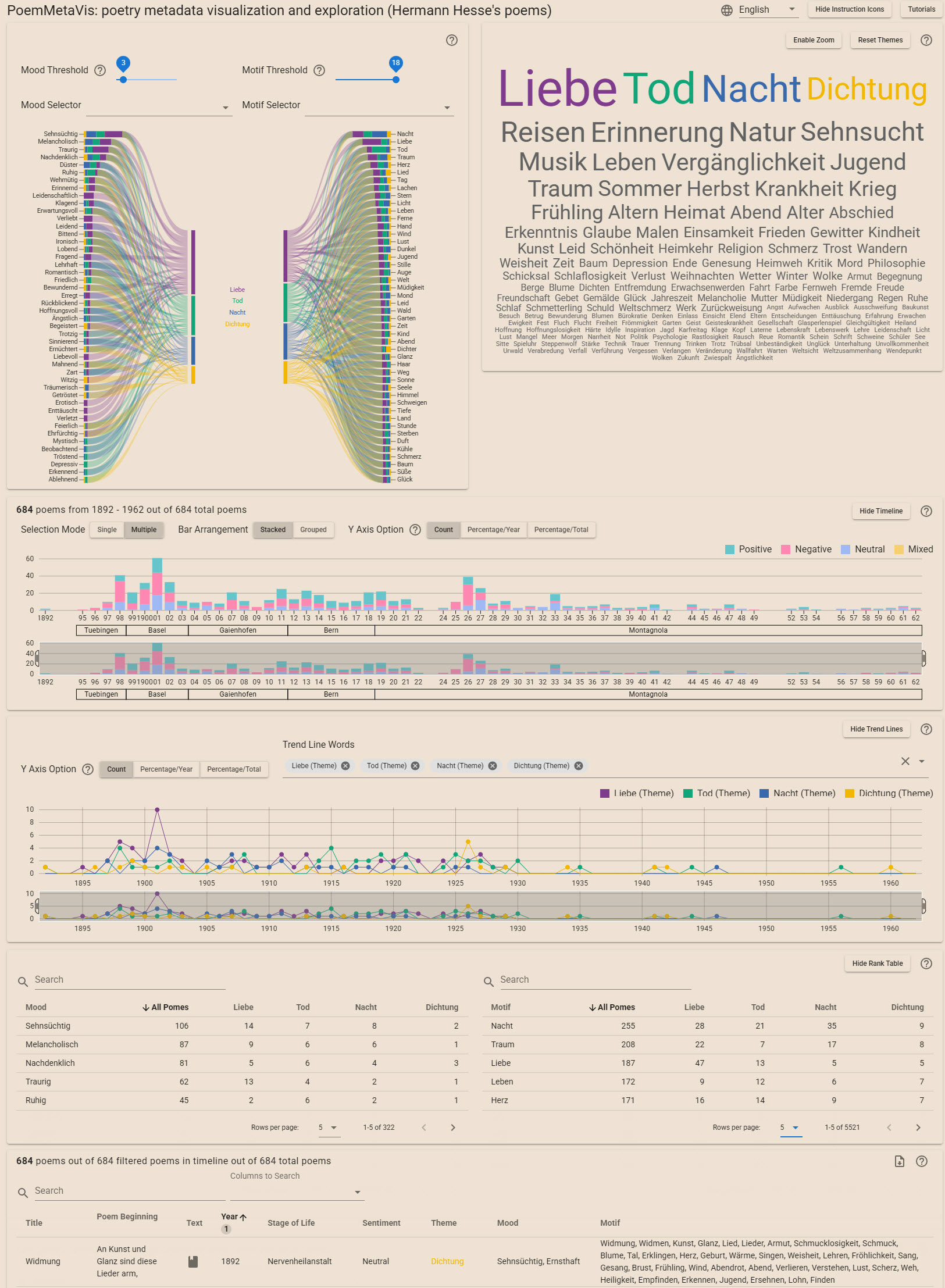
Hermann Hesse case — full interface overview
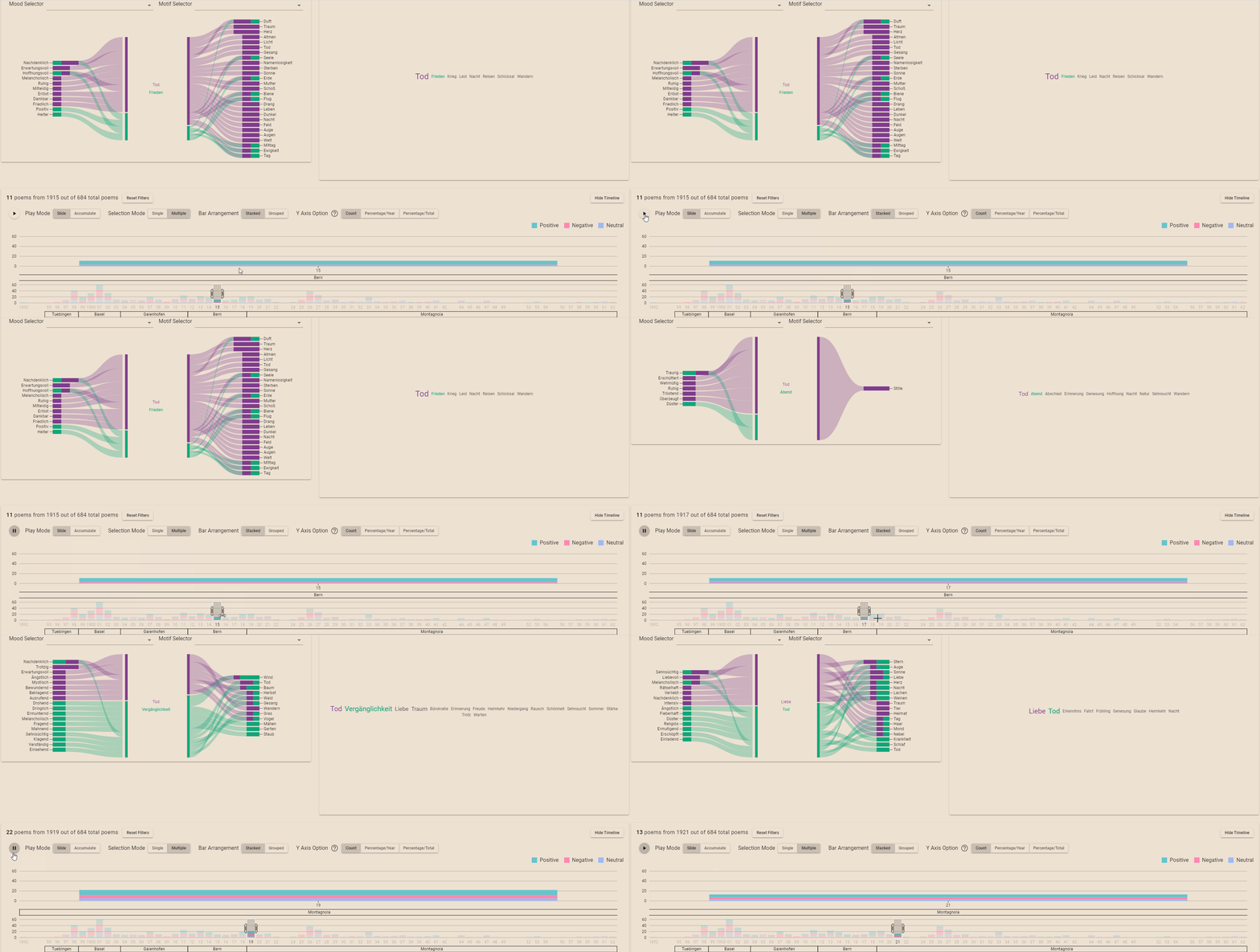
Fig. i·Hermann Hesse · full interface overview
View 01

Sankey Diagram

§ 01.1

Hovering

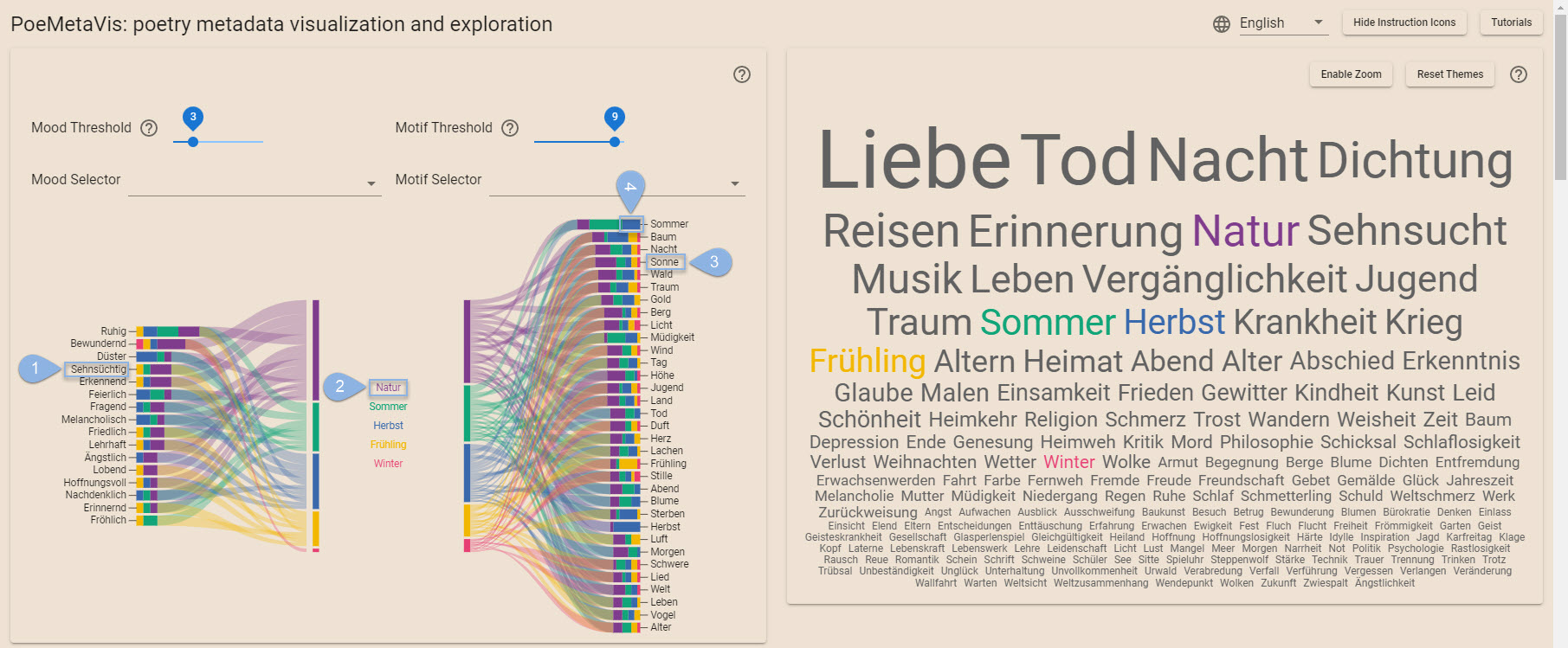
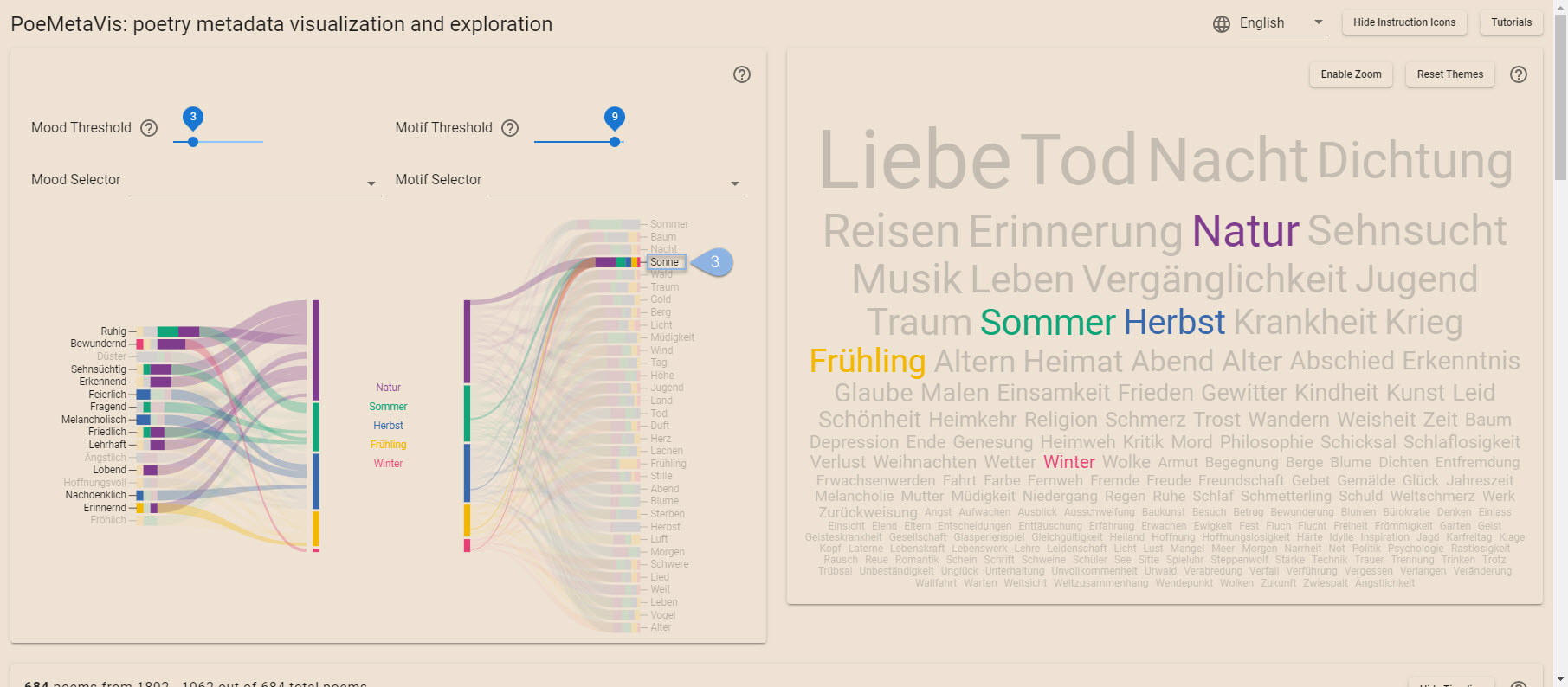
Hover over a (1) mood word on the left, (2) a theme word in the center, (3) a motif word on the right, or a (4) color block at the end of each ribbon to see all associations.
Place the mouse on the image and click to magnify it.

Sankey diagram, hover state.
Sankey · Hover state
1Hover over a mood word on the left
2Hover over a theme word in the center
3Hover over a motif word on the right
4Hover over a color block at the end of each ribbon
§ 01.2

Clicking

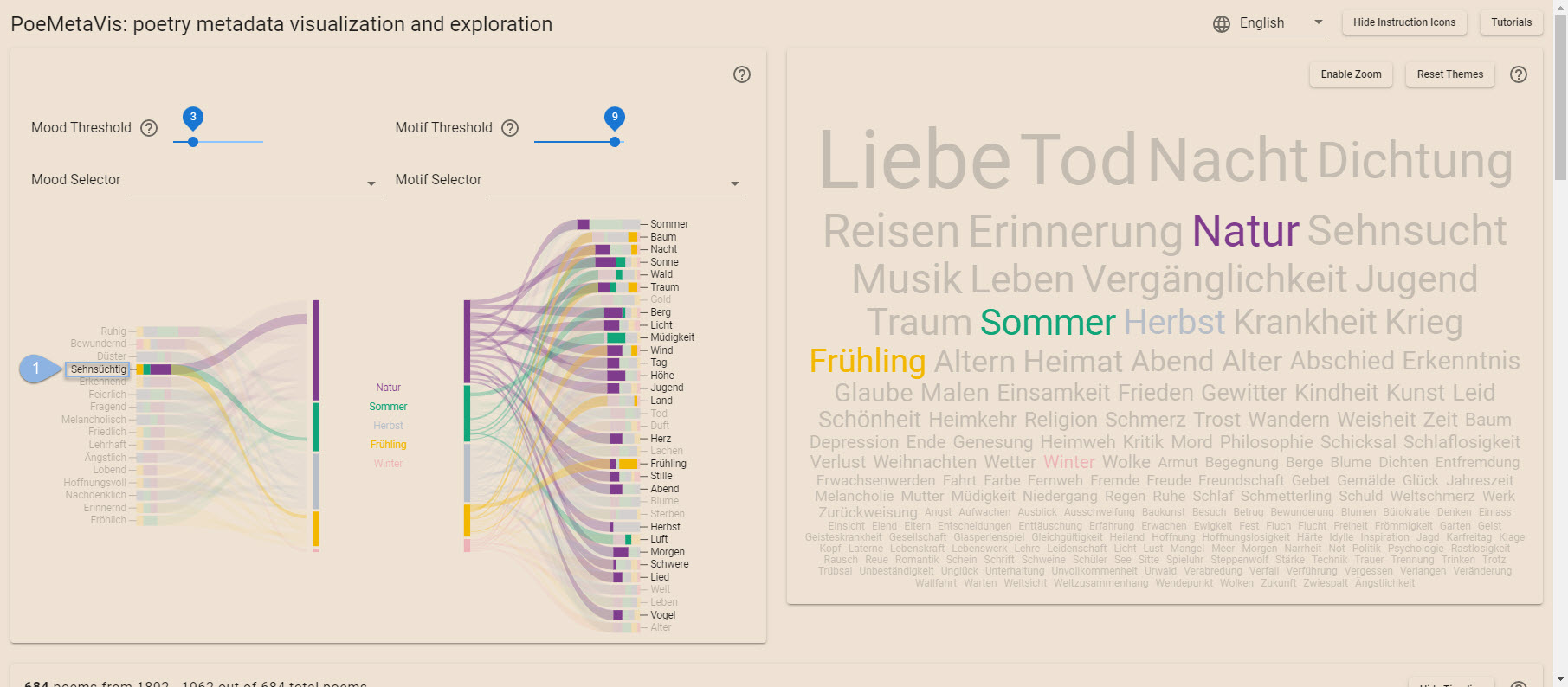
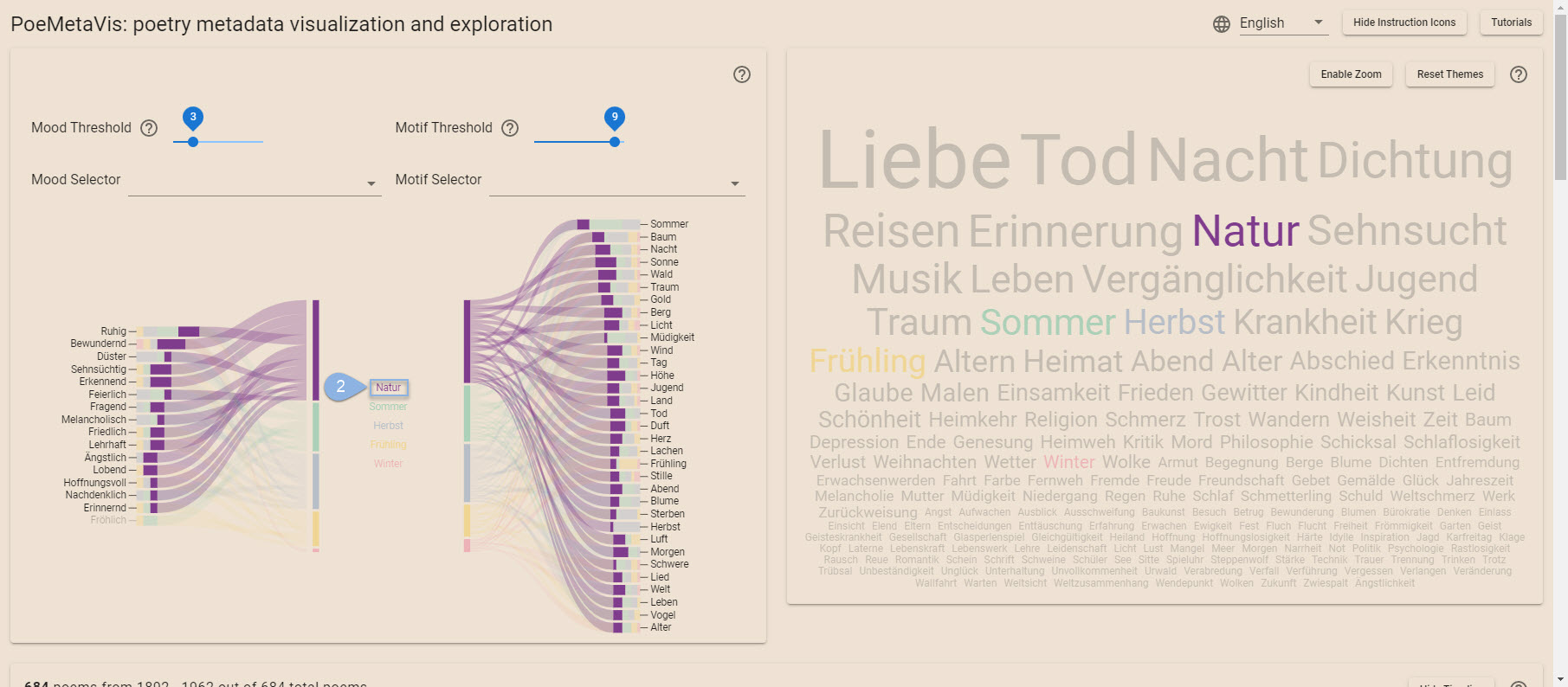
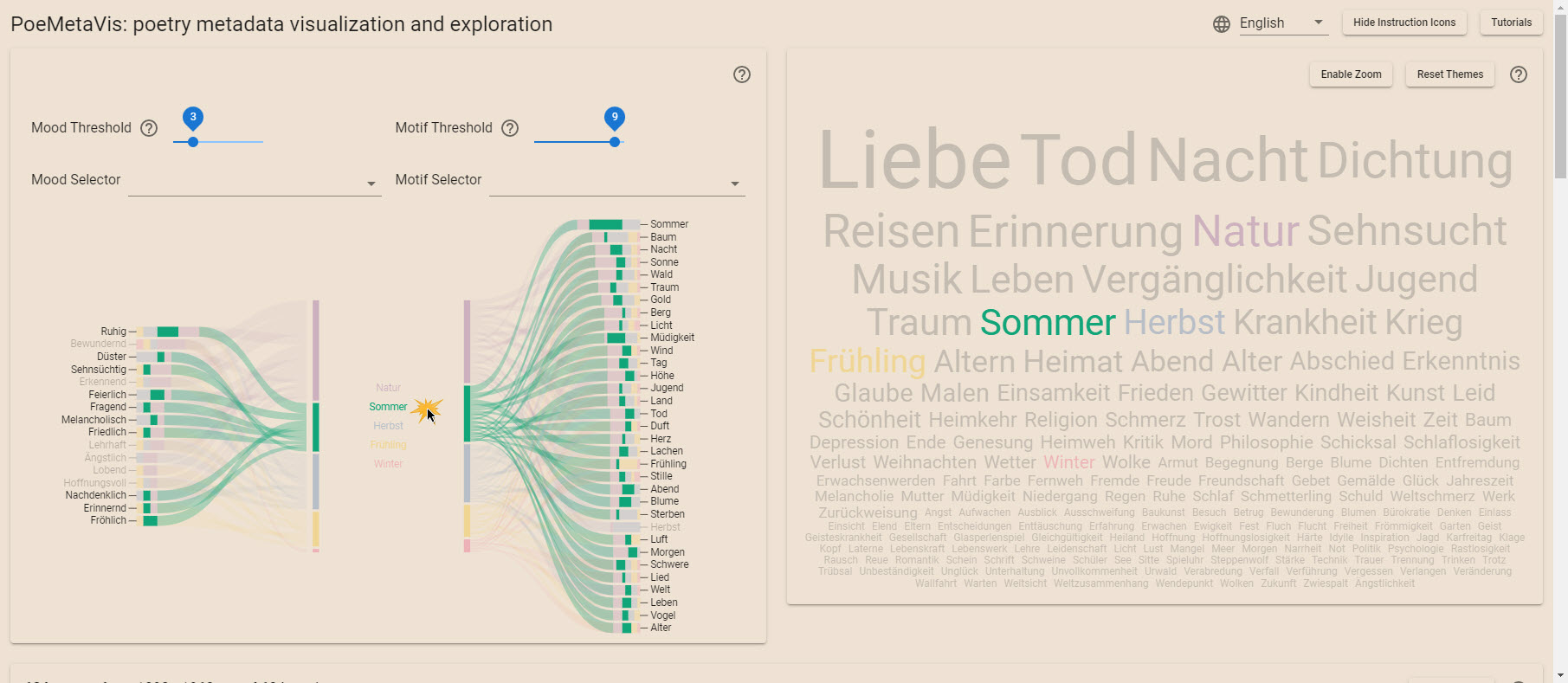
Click a word or a color block to fix the highlighted associations and filter associated poems from the metadata table.

Re-click a word or a color block to fix the highlighted associations and unfilter associated poems from the metadata table.

Sankey · pinned selection
§ 01.3

Mood Threshold / Motif Threshold

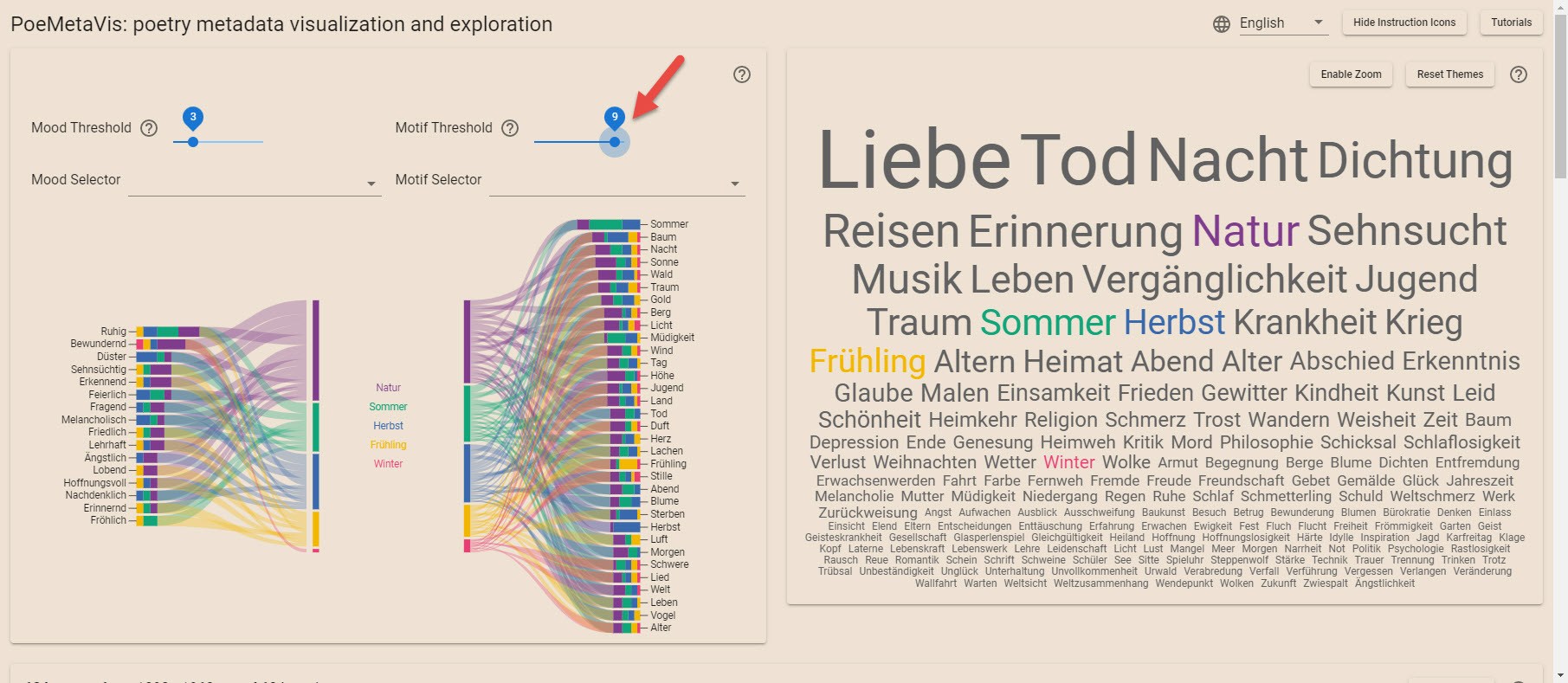
Use the mood/motif threshold slider to show moods/motives that occur in at least N selected poems.

Sankey · threshold filter
§ 01.4

Mood Selector / Motif Selector

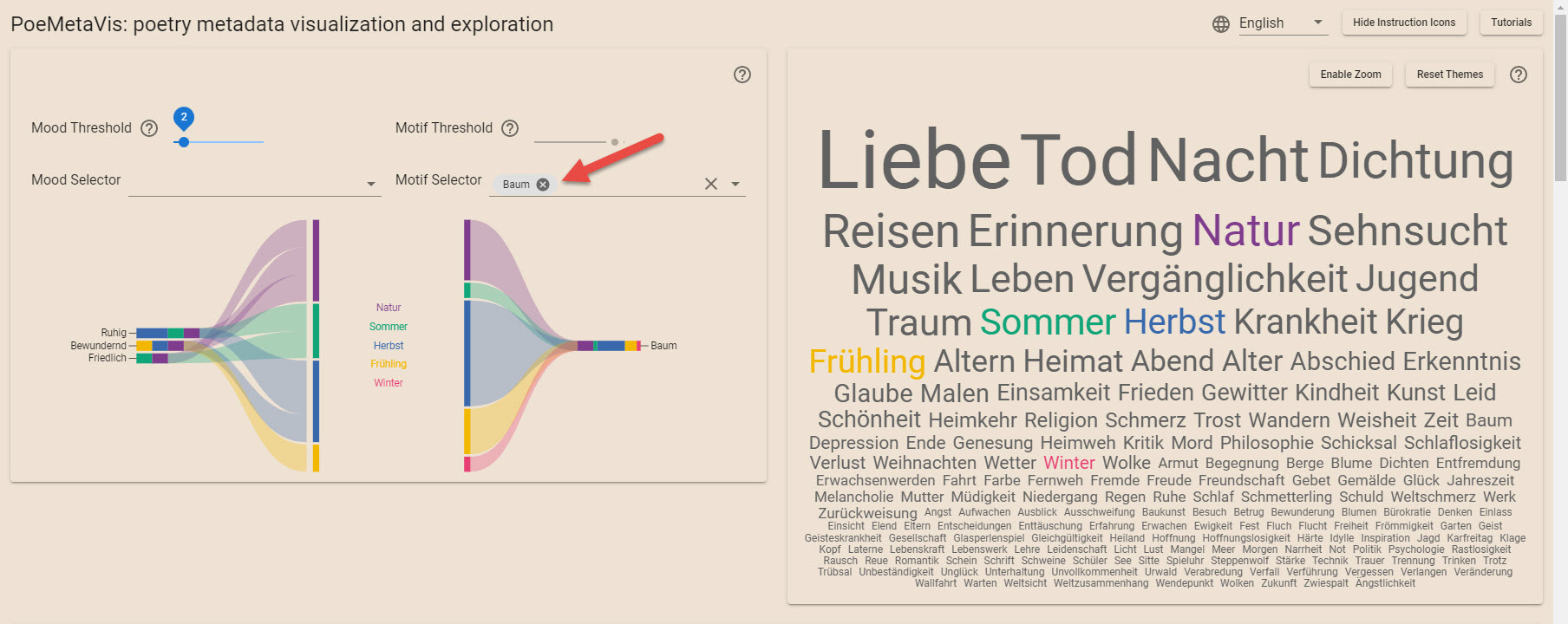
Use the mood/motif selector to display specific moods/motives and related associations.

Sankey · custom selector
View 02

Wordcloud

§ 02.1

Mouse-hovering

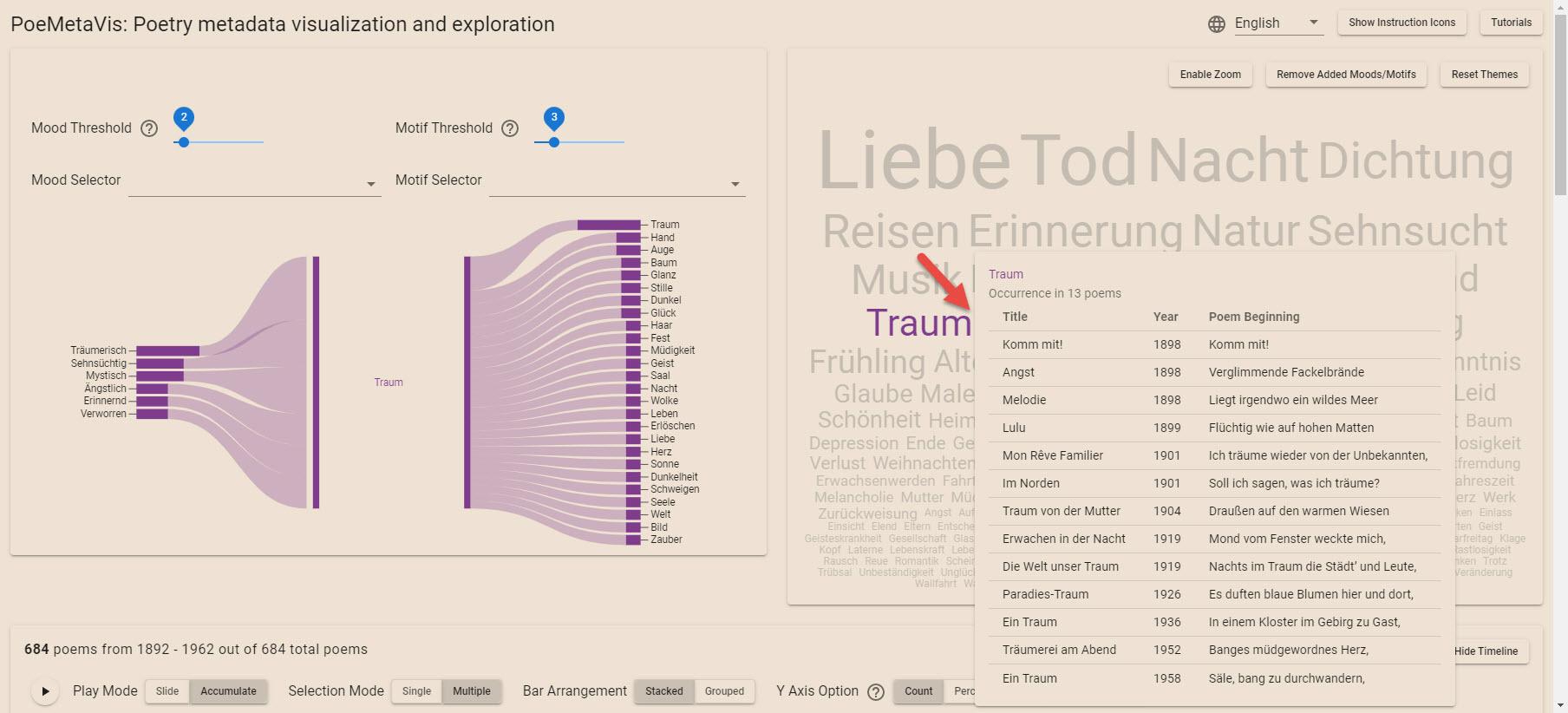
Hover over a theme word to see poems associated with that theme in the tooltip.

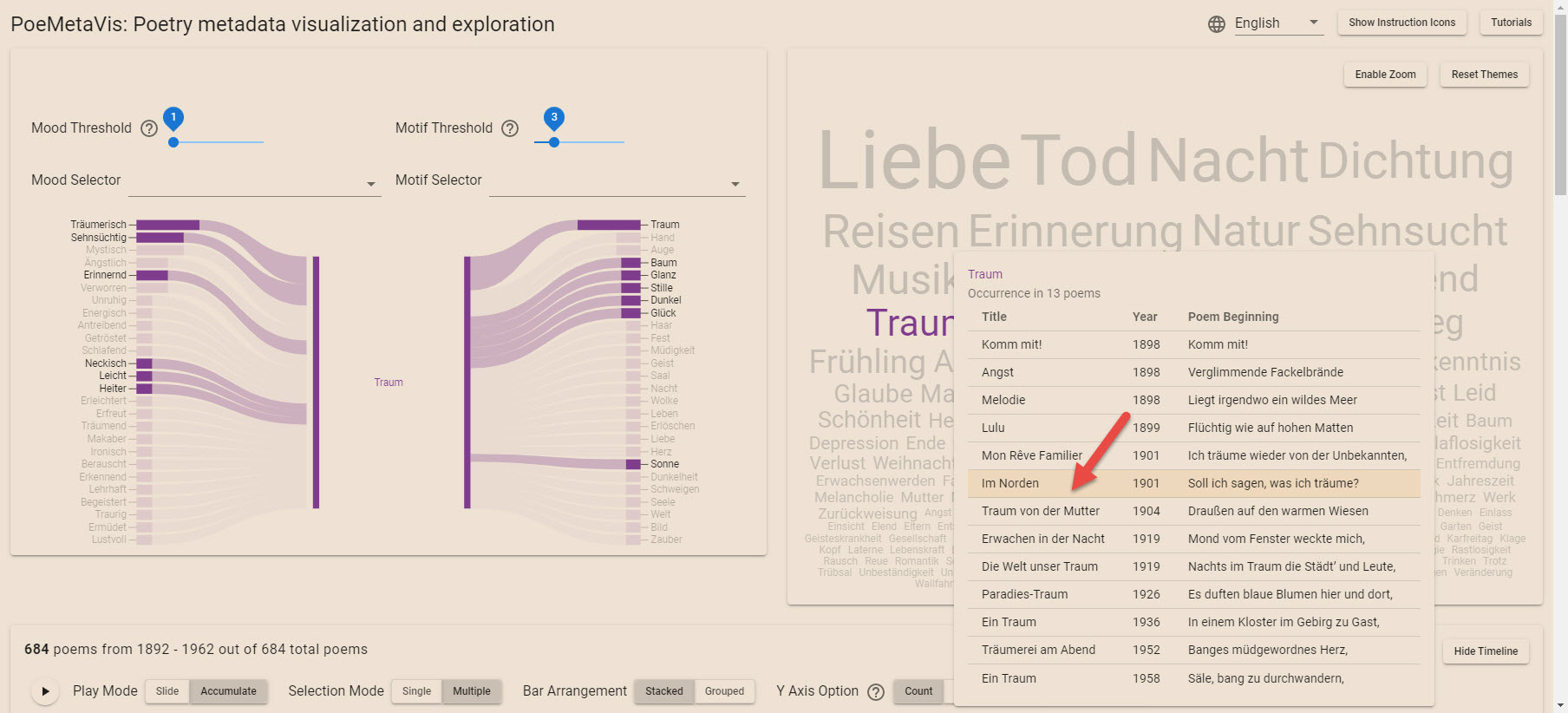
Hover over on individual poems to see associations in the Sankey chart.

HoverTheme word
HoverIndividual poem
§ 02.2

Selecting a specific poem

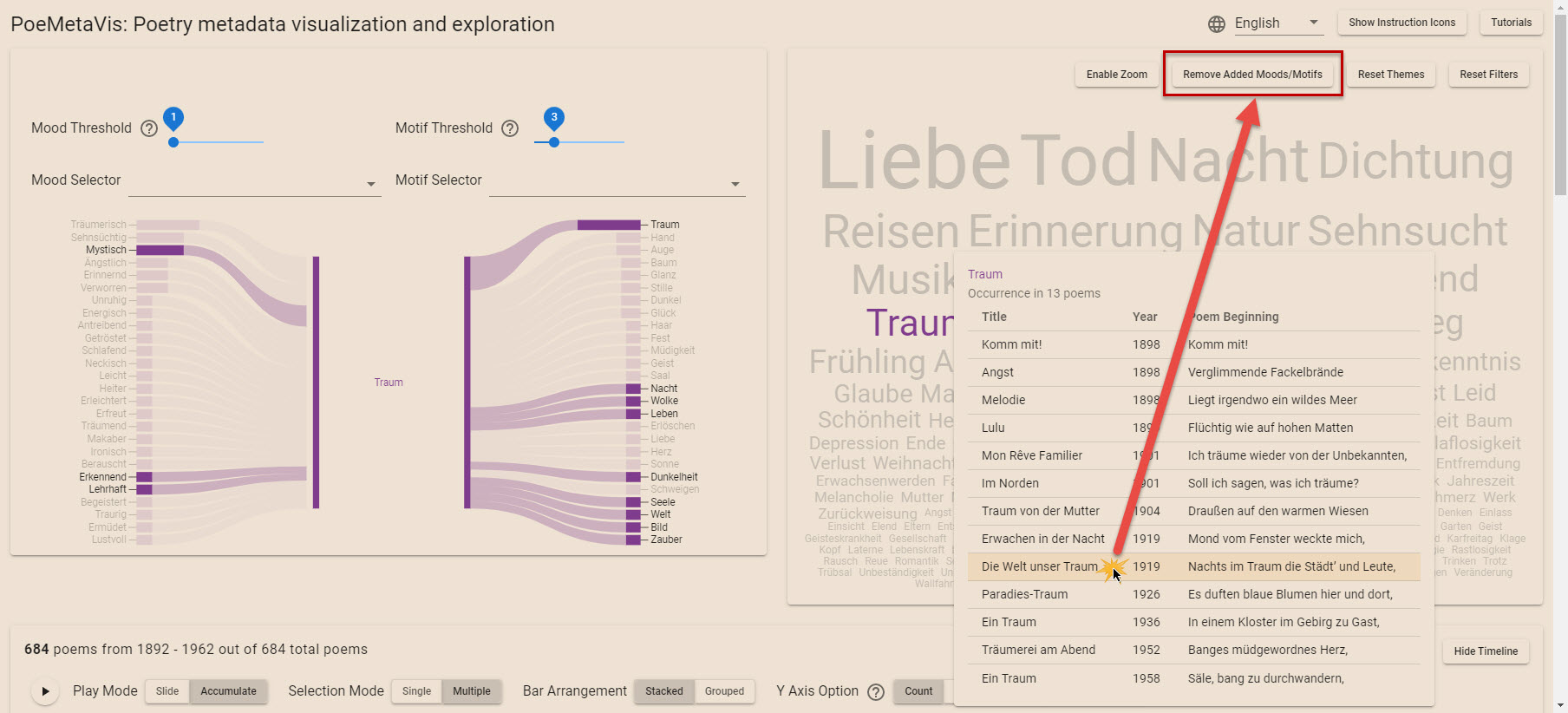
Click a poem inside the tooltip to add related moods and motifs to the Sankey diagram, and highlight that poem on the metadata table. Only one associated poem's moods/motifs can be added at a time.

Re-click a poem inside the tooltip to remove related moods/motifs from the Sankey diagram, and cancel the highlighted poem on the metadata table.

Wordcloud · poem locked
§ 02.3

Selecting a new theme word

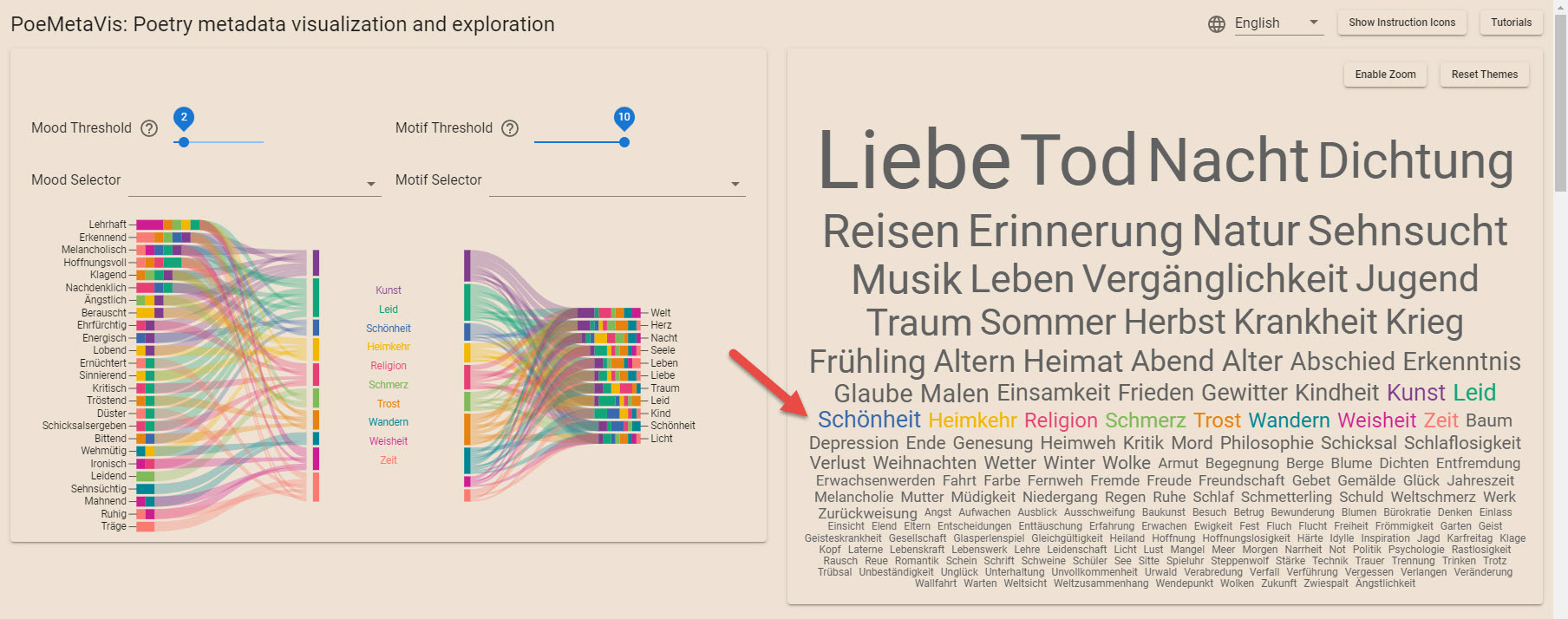
Click a black colored word to add that theme word to the Sankey diagram. A total of 10 theme words can be selected at a time.

Re-click a colored word to remove that theme word from the Sankey diagram.

Wordcloud · theme selector
View 03

Timeline

§ 03.1

Clicking

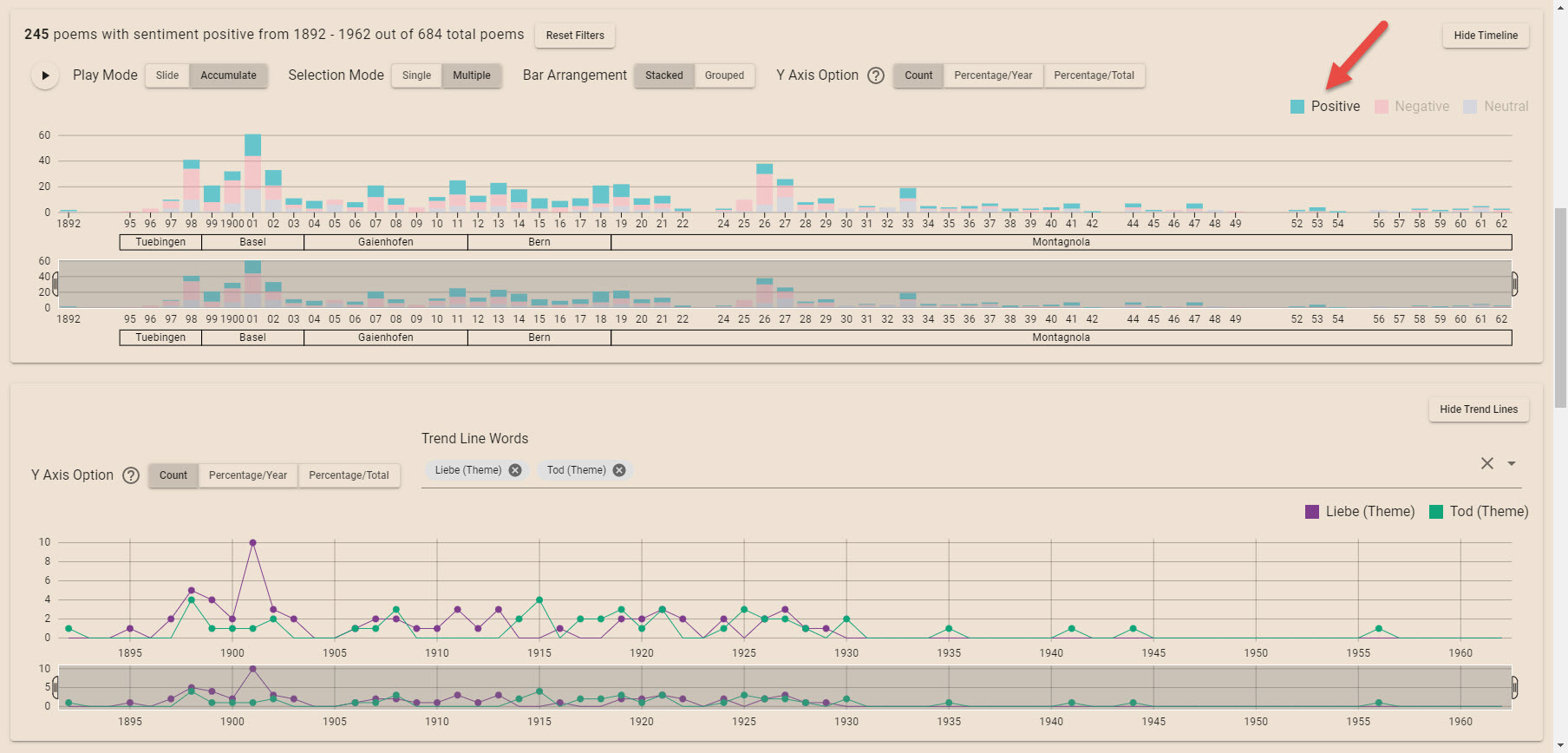
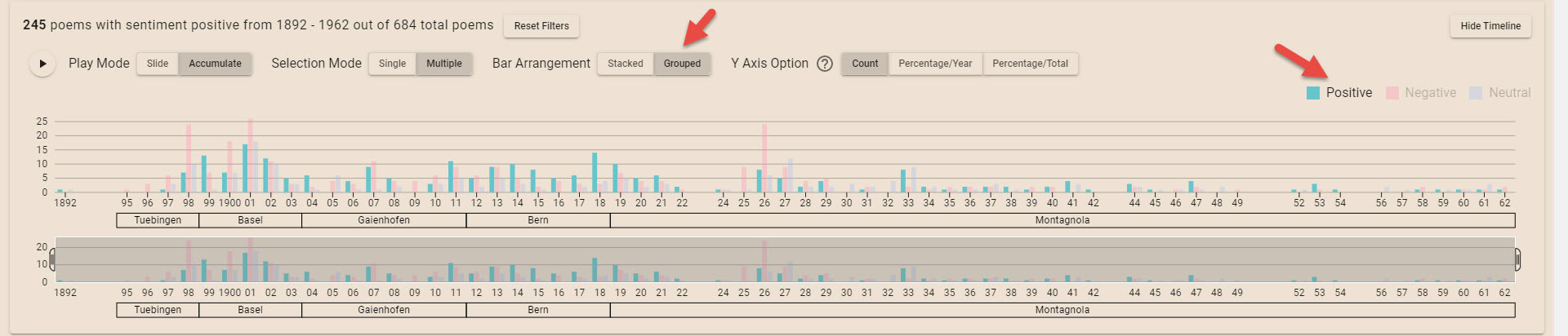
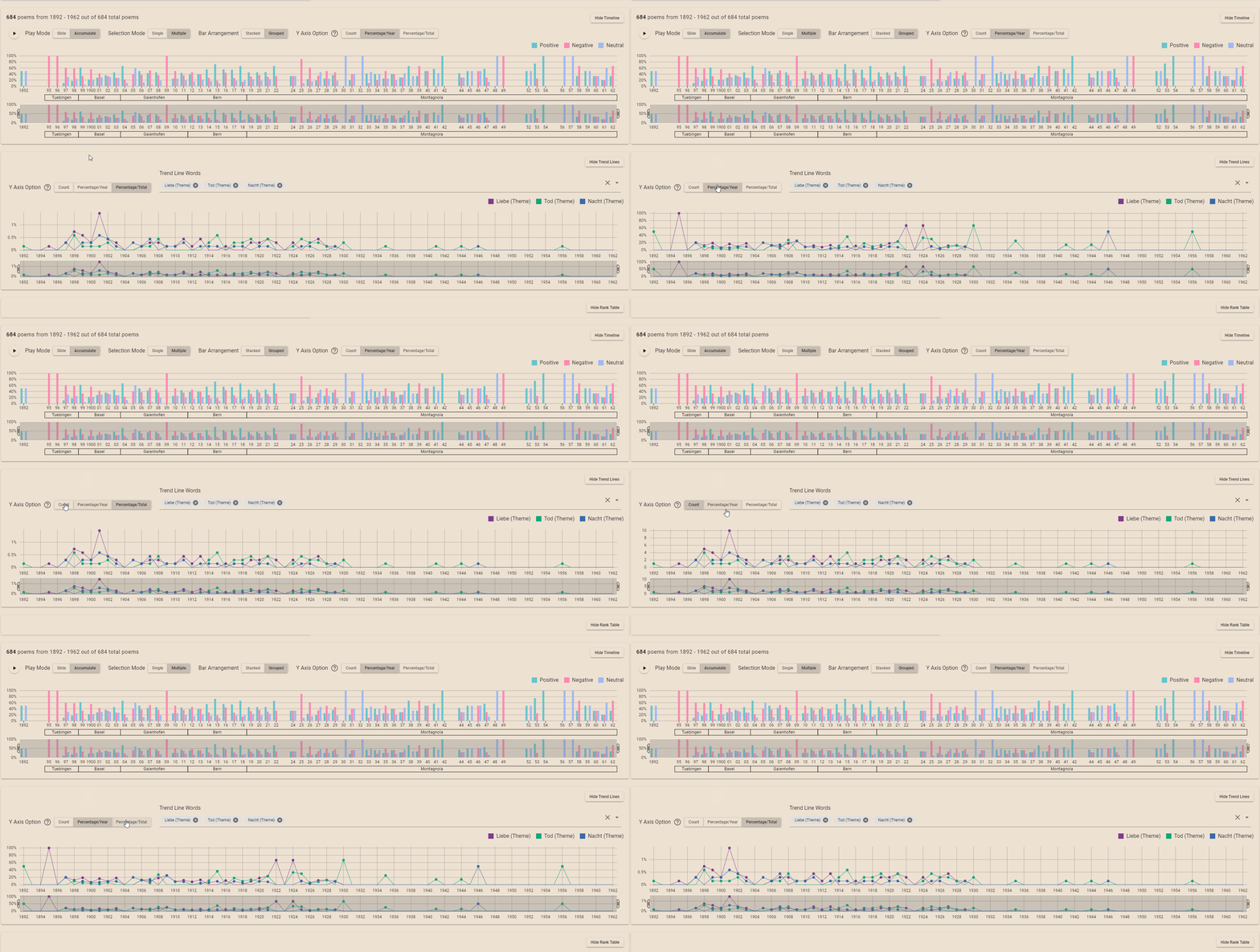
Click a legend item to filter the poems by one or more sentiment categories.

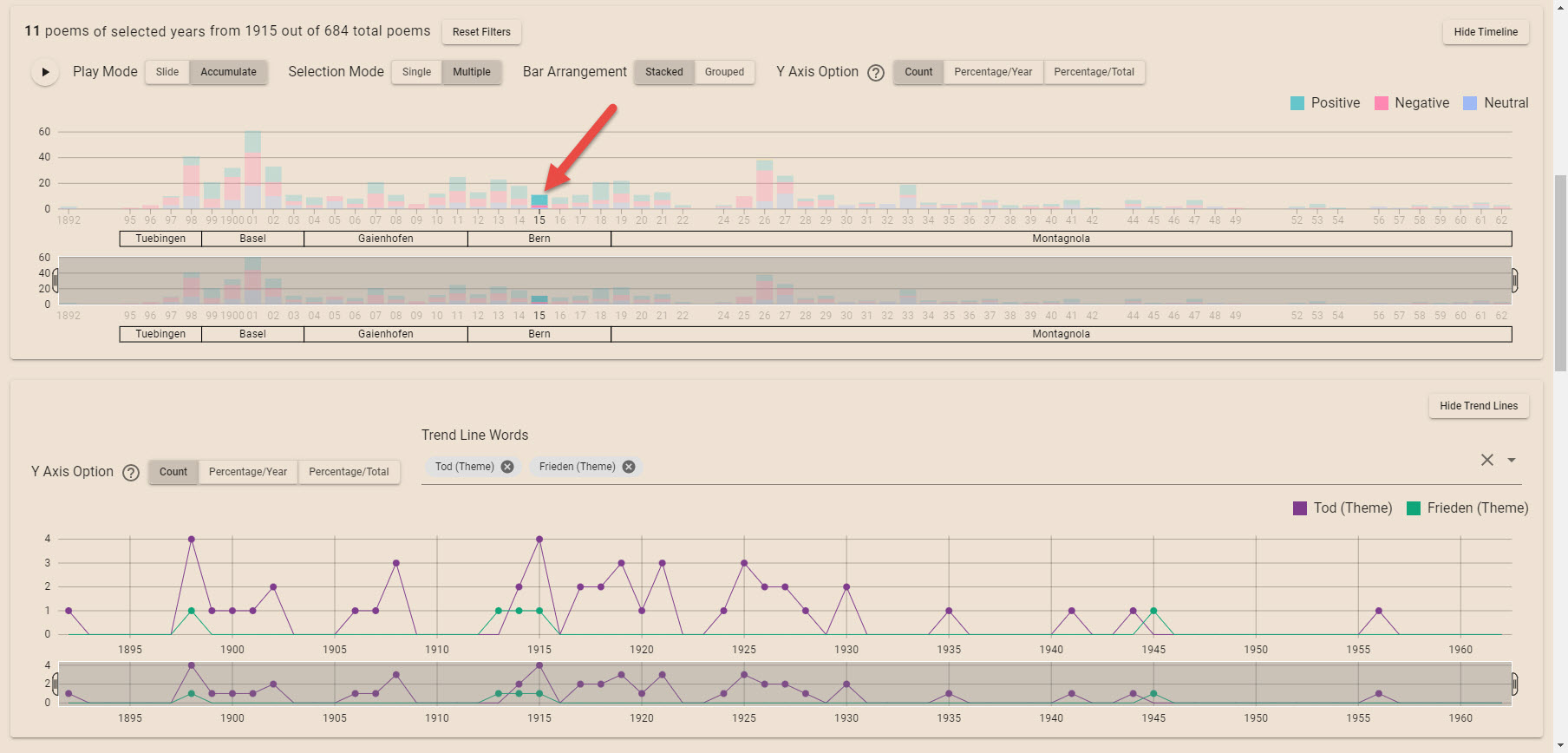
Click a year in the top graph to filter poems by that year.

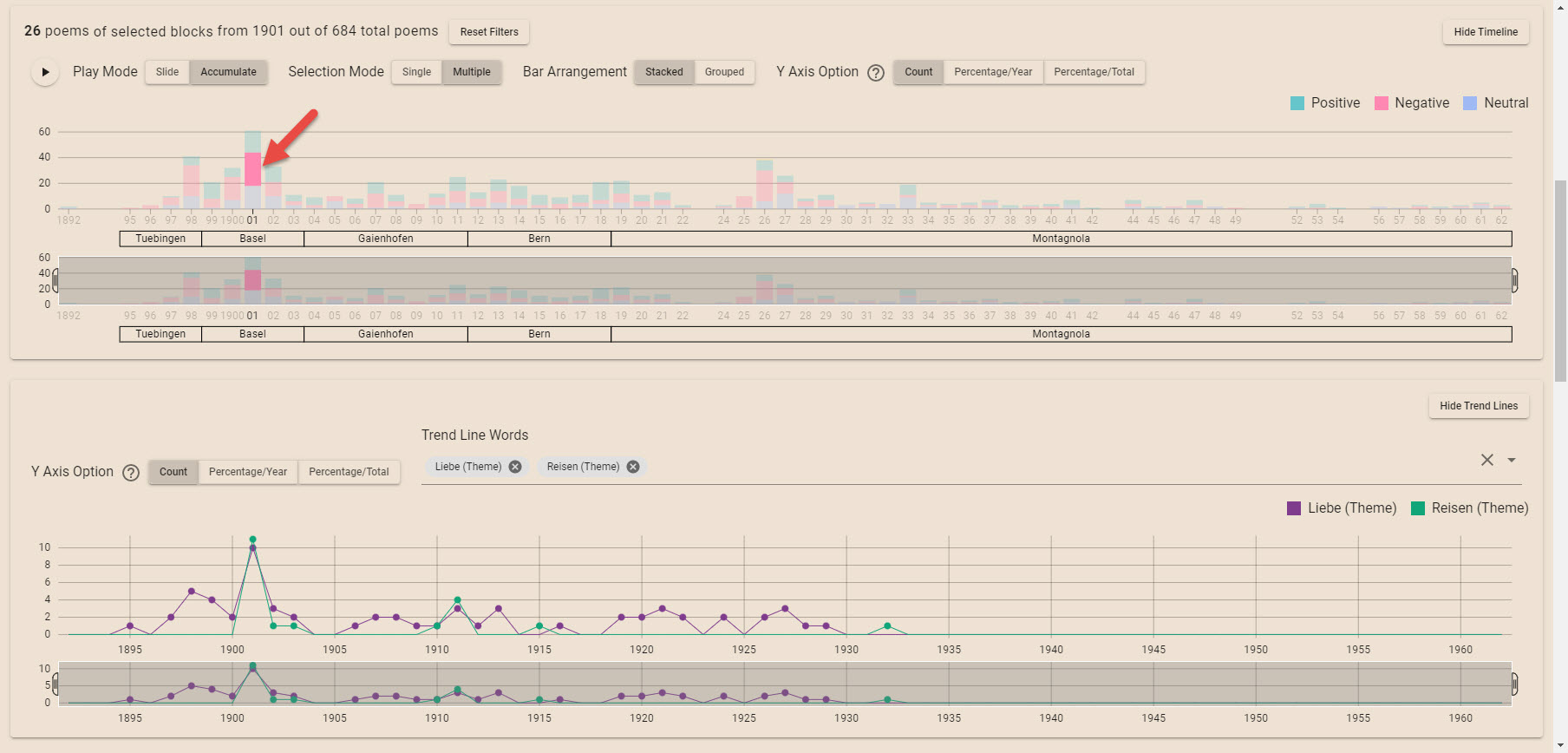
Click a colored block in the top graph to filter poems by the matching year and sentiment category.

ClickLegend
ClickYear
ClickBlock
§ 03.2

Selection Mode

Single mode: only one item can be selected at a time.

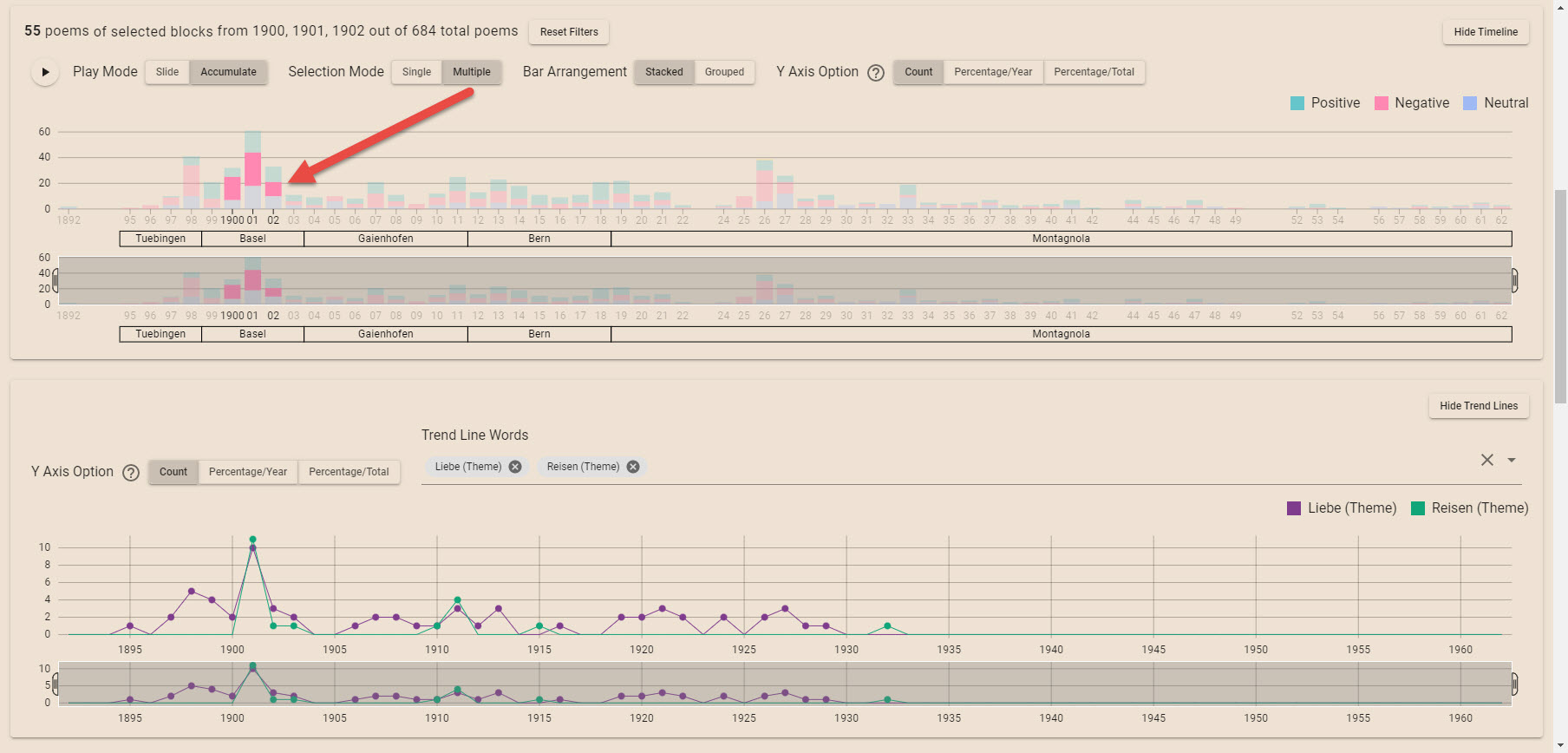
Multiple mode: multiple items can be selected.

Timeline · multi-select
§ 03.3

Play Mode

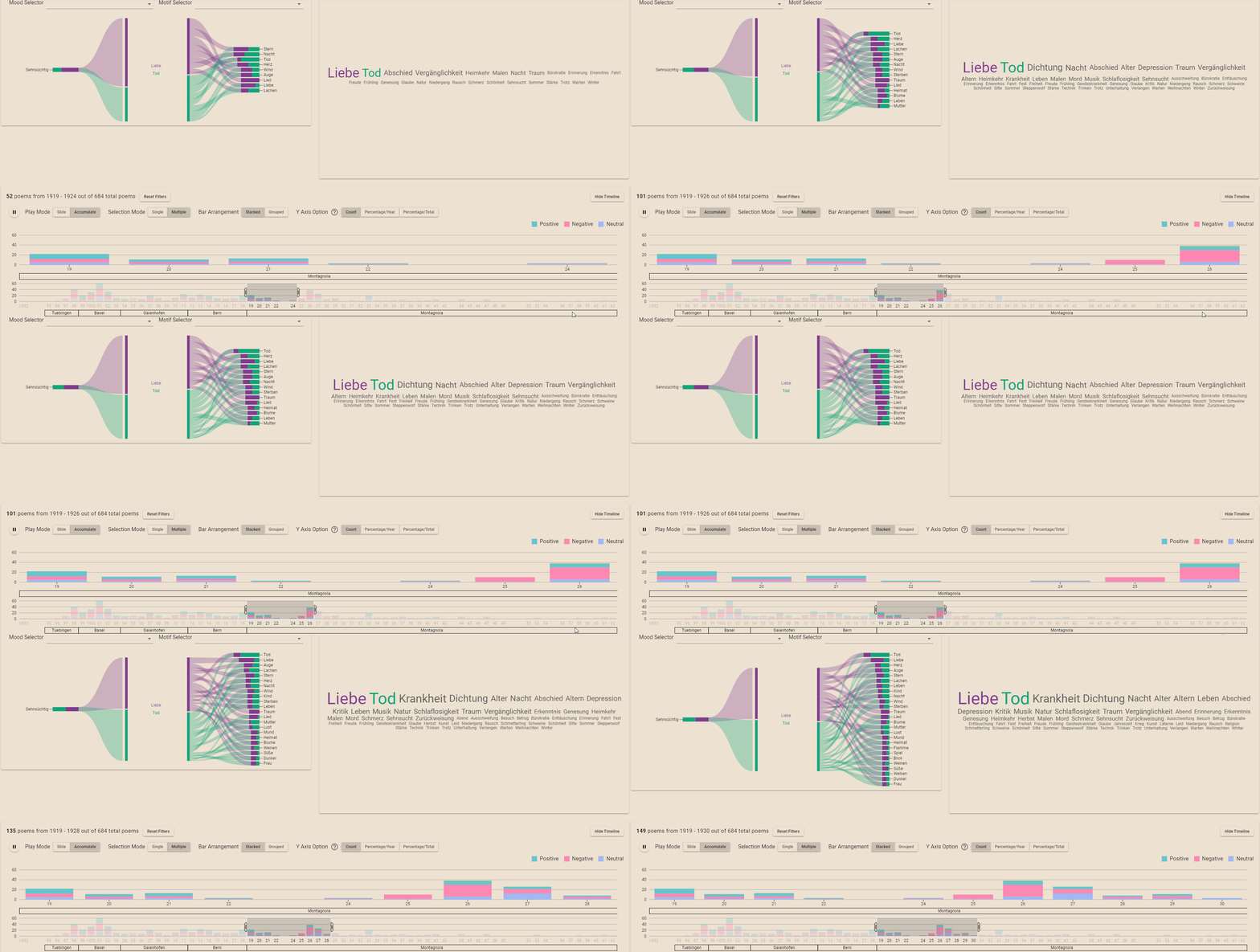
Click the play button to start a time slider animation using "Slide" or "Accumulate" mode.

PlaySlide
PlayAccumulate
§ 03.4

Bar Arrangement

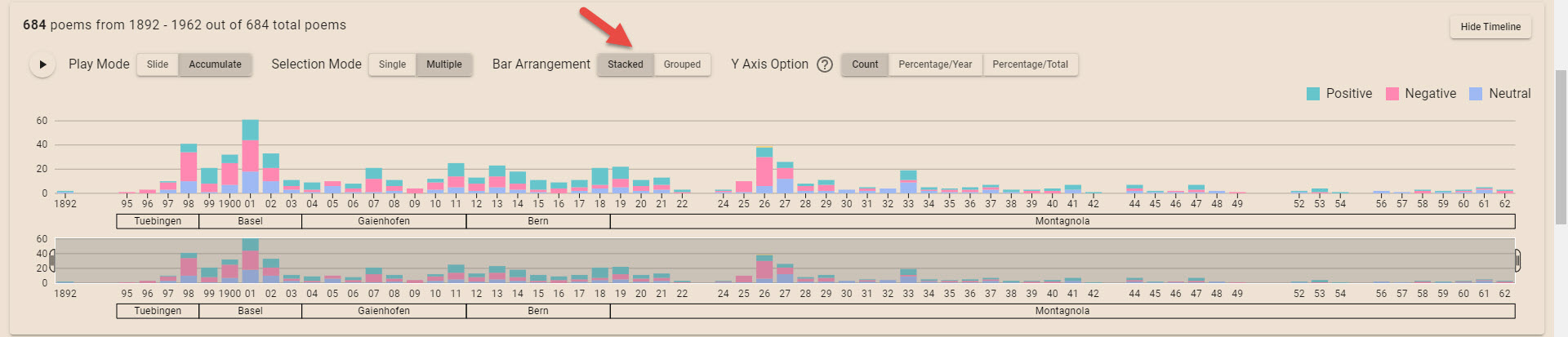
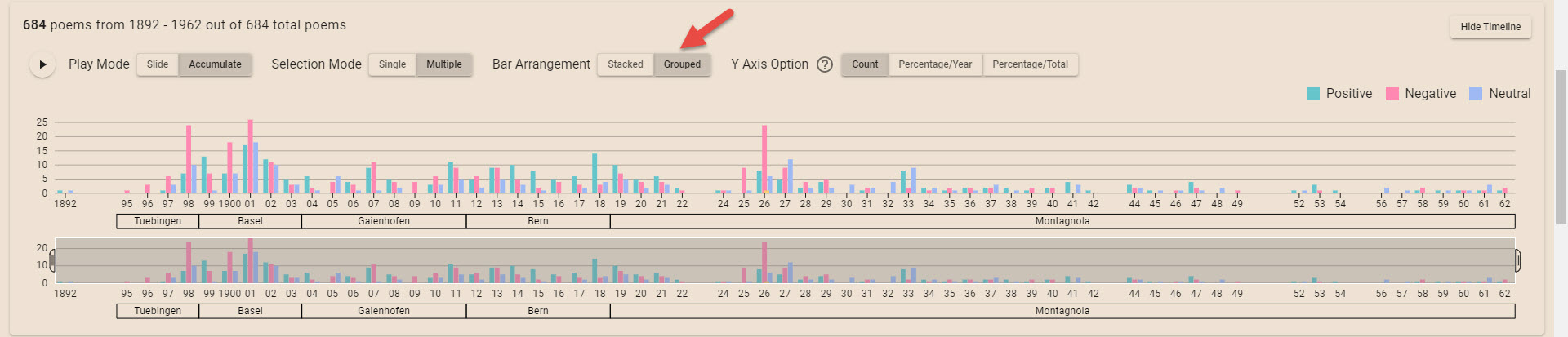
Option to switch between the stacked bar chart and grouped bar chart.

ModeStacked
ModeGrouped
ModeGrouped + sentiment
§ 03.5

Y Axis Option

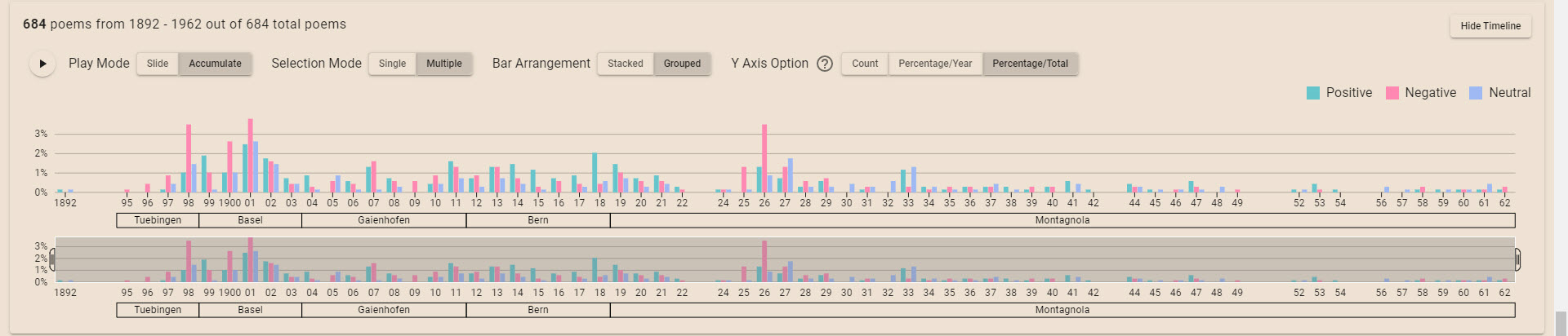
Switch between counts and percentages of the total or percentages per year.

Y-axis% per year
Y-axis% of total
View 05

Ranking table

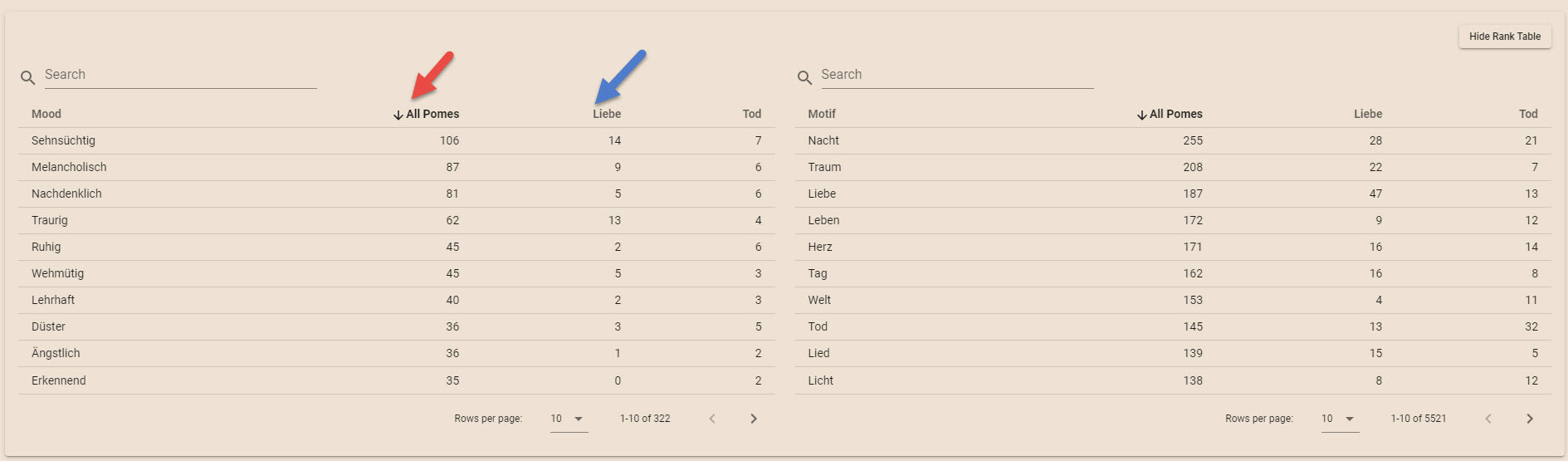
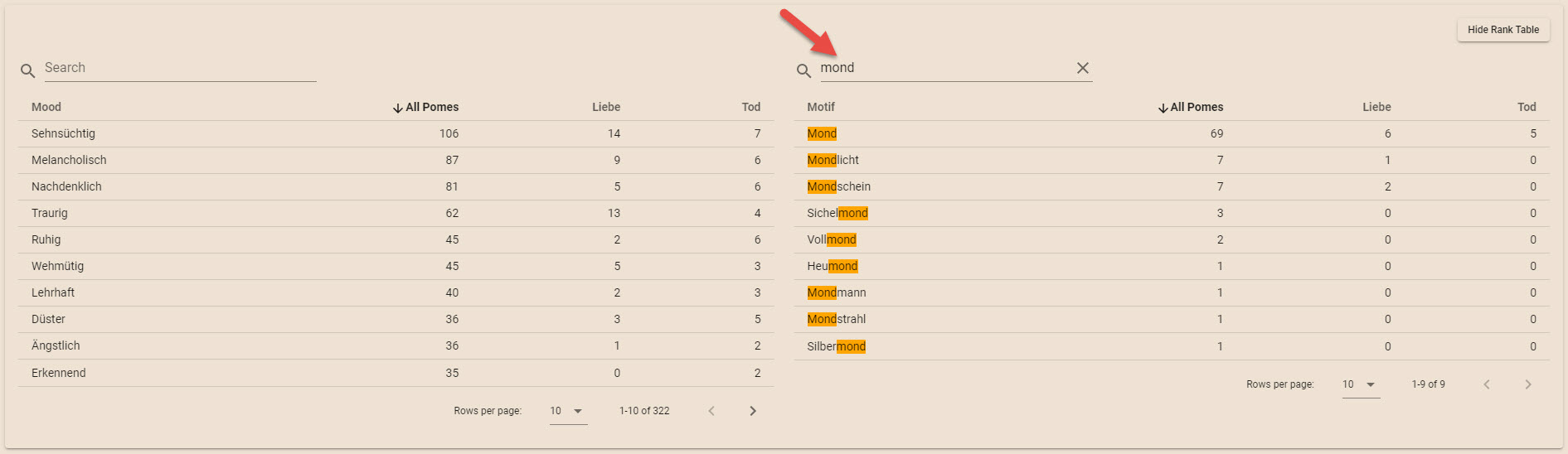
Inspect the ranking of mood and motif words in all poems and for specific themes selected from the wordcloud.

§ 05.1

Clicking

Click the column names on the first row to sort the table.

Ranking · sort
View 06

Metadata Table

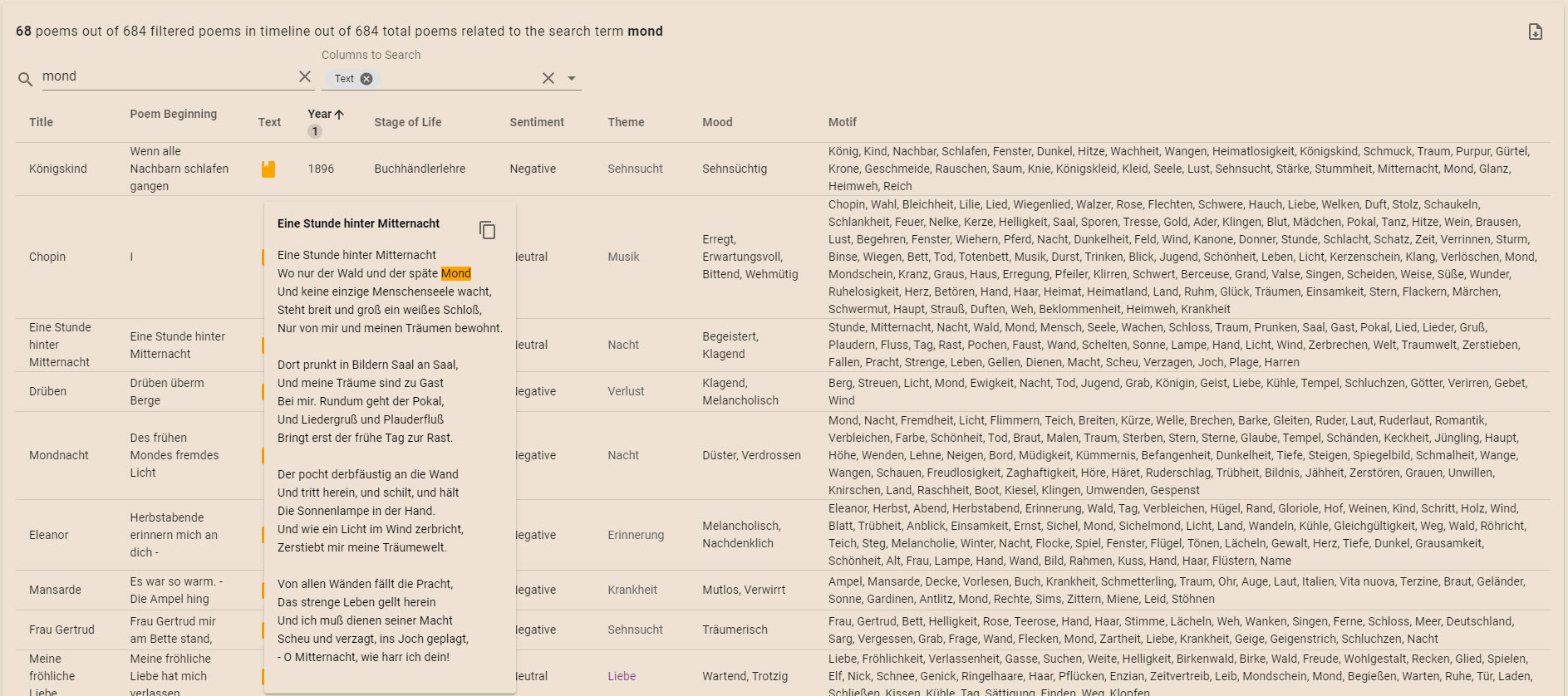
§ 06.2

Hovering

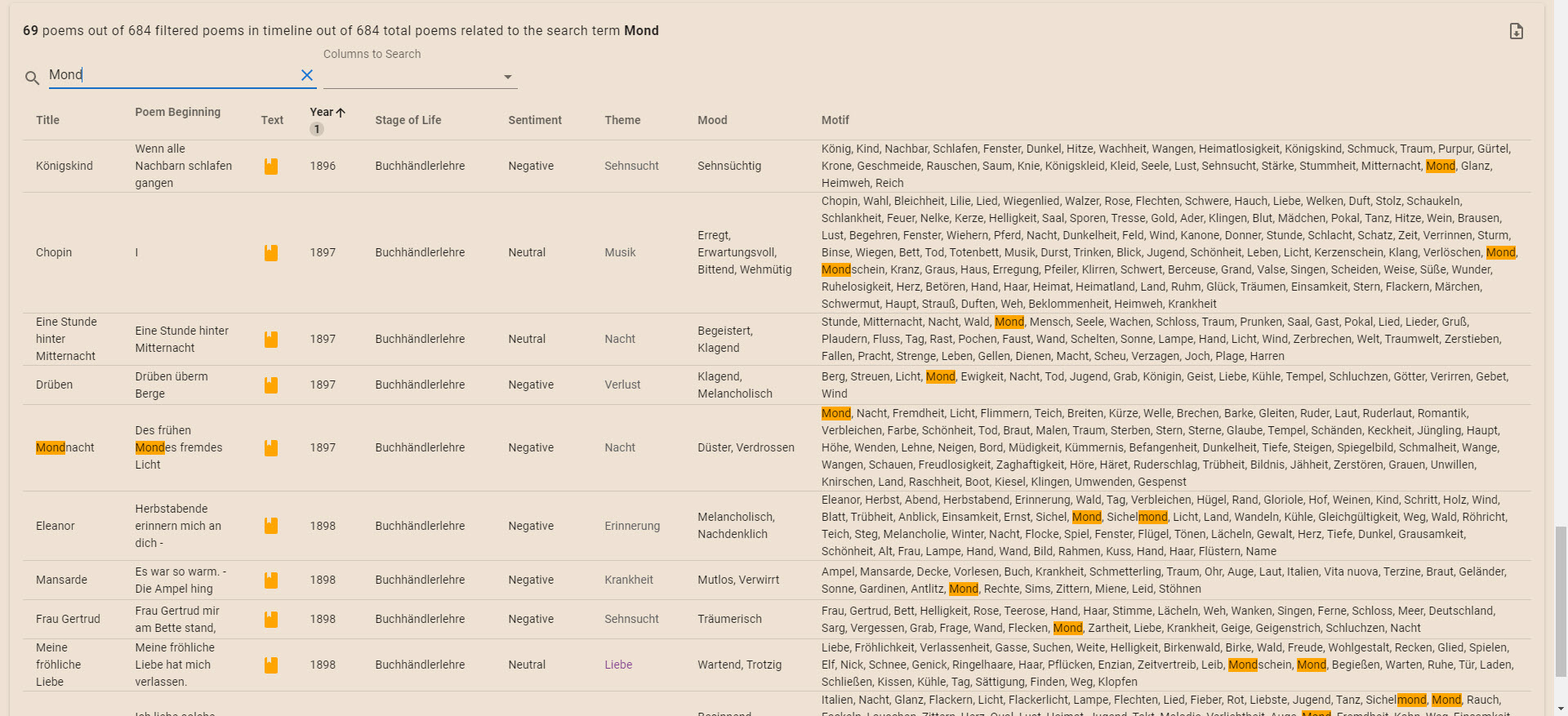
Hover over the book icon to see the full poem text.

Metadata · row preview
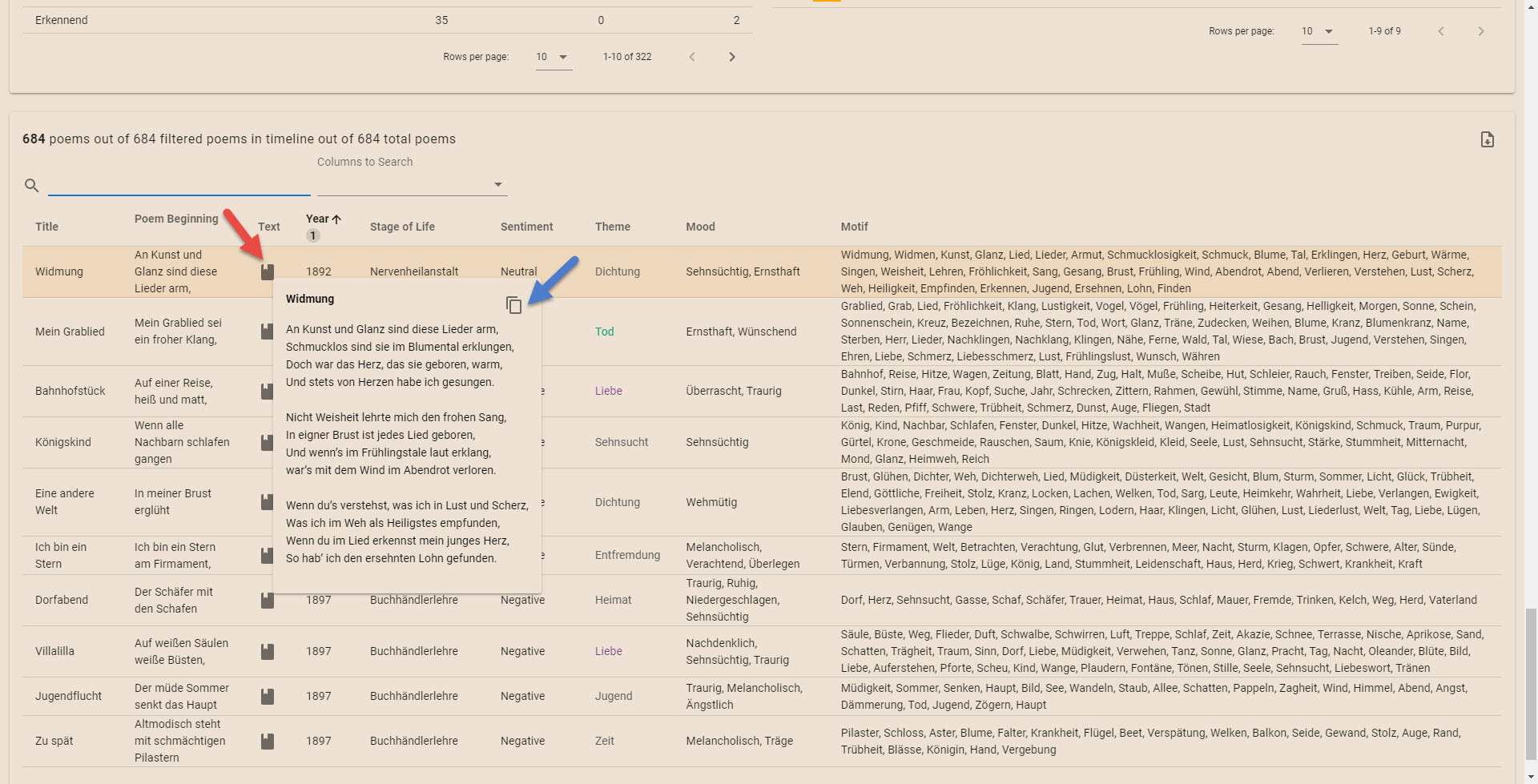
§ 06.3

Clicking

Click the copy icon in the full poem text tooltip to copy the full poem text.

Click the download button to download filtered table data.

Click a theme word to add/remove that theme word to/from the Sankey diagram.

Metadata · click targets

Regeln des Annotierens

zusammengefasst von Julia Kammerzelt

§ 01

Motive (v.a. Substantive, Verben, Adjektive, Adverbien, Jahreszahlen, Zahlen) als Lemma (= wie es im Wörterbucheintrag steht) notieren
GedichtZauber / durchschritt / schnell / jung / gestern / rot / fünf / 1936
AnnotationZauber / Durchschreiten / Schnelligkeit / Jugend / Gestern / Rot / Fünf / 1936

§ 02

Alle Motive, die als Substantiv notiert werden können, als solches notieren. Nur wenn es nicht anders möglich ist (z.B. bei Adjektiven oder Adverbien, die kein äquivalentes Substantiv haben) das Motiv mit doppelten Anführungszeichen notieren
Gedichtleise / blank
Annotation„leise" / „blank"

§ 03

Substantive im Plural sowohl die Pluralform als auch das Lemma notieren
GedichtStunden / Frauen
AnnotationStunden, Stunde / Frauen, Frau

§ 04

Bei Komposita (= zusammengesetzte Substantive) alle Komponenten sowie das gesamte Kompositum notieren
GedichtWeltgeist / Spätabendwolke
AnnotationWeltgeist, Welt, Geist / Spätabendwolke, Späte, Abend, Wolke

§ 05

Wenn möglich Konzepte (Substantive) hinter Verben ebenfalls in dreifachen Anführungszeichen notieren
Gedichtschlief / beschützen / gesundet / gesungen / glänzte
AnnotationSchlafen, '''Schlaf''' / Beschützen, '''Schutz''' / Gesunden, '''Gesundheit''' / Singen, '''Gesang''' / Glänzen, '''Glanz'''

§ 06

Bei zusammengesetzten Adjektiven ohne Substantiviertes Äquivalent (ähnlich wie bei Komposita) alle Komponenten sowie das gesamte Adjektiv in doppelten Anführungszeichen notieren
Gedichtfieberheiß
Annotation„fieberheiß", Fieber, Hitze

§ 07

Anderssprachige Ausdrücke als Lemma in doppelten Anführungszeichen und deutsche Übersetzung als Lemma in dreifachen Anführungszeichen notieren
Gedichtgiovenezza / si fugge
Annotation„giovenezza", '''Jugend''' / „fuggire", '''Fliehen'''

§ 08

Poetisch umschriebene Motive sowohl wie im Gedicht als auch das Motiv dahinter in dreifachen Anführungszeichen notieren
GedichtFlockenspiel / Reiselast
AnnotationFlockenspiel, Flocke, Spiel, '''Schnee''' / Reiselast, Reise, Last, '''Gepäck'''

§ 09

Diminutive mit entsprechendem Lemma notieren
GedichtÄmplein / Kindchen
AnnotationÄmplein, Ampel / Kindchen, Kind

§ 10

Bei Substantivierungen reicht es aus, nur diese ohne Konzept dahinter zu notieren
GedichtMüdesein, Verlorenes, Schöne, Fragender
AnnotationMüdesein, Verlorenes, Schöne, Fragender

Frequently asked questions

What is PoemMetaVis?

PoemMetaVis is a web-based interactive visualization tool for exploring annotated poetry metadata — moods, themes, motifs, sentiments — across time and location.

Who is it for?

Literary scholars, digital-humanities researchers, students, and anyone curious about reading patterns that close reading alone cannot reveal.

Do I need to install anything?

No. The tool runs entirely in the browser. Just open one of the case studies and start exploring.

Which datasets are currently available?

Two: Hermann Hesse (684 German-language poems, fully annotated) and Su Dongpo (a collection of Chinese song ci lyrics).

Can I use my own data?

Yes — the visualization is language-agnostic. Get in touch if you would like to apply it to a new poetry corpus.

Now explore the interactive visualization.

Explore the visualization